Stop rewatching two-hour lectures just to find one sentence your professor said
LecChat turns your university lecture recordings into a smart, interactive conversation. It lives right inside your browser, “watches” the lecture with you, ready to answer questions, summarize complex topics, and find exact moments instantly.
Chat with your lectures, your way
LecChat lives directly inside your university’s learning environment. No tab switching, no extra apps — just instant answers right where you study.
Verified Chrome extension
Install from the official Chrome Web Store.
Works with Panopto & Moodle


Seamlessly integrates with the recording platforms your university uses.
Instant answers
Ask anything about the lecture and get AI-powered answers with timestamps in seconds.
Two powerful modes
Whether you need to find a specific moment in a single lecture or explore topics across an entire course — LecChat has you covered.
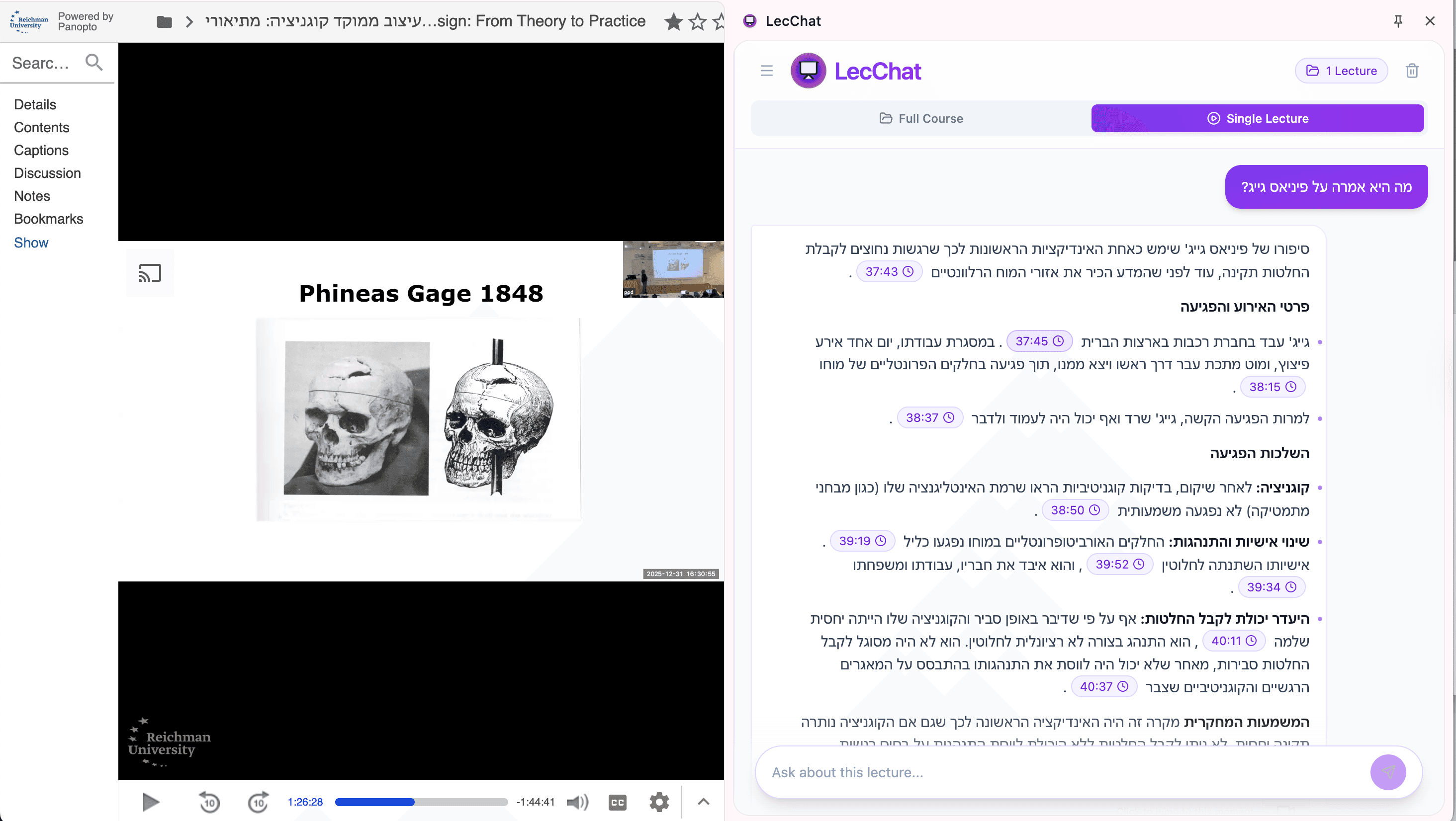
Single lecture mode
Perfect when you remember the professor mentioned something — but not when.
“Find the key examples the professor gave”
- Ask questions about a specific lecture
- Get instant AI-powered answers
- Jump to exact moments with timestamps
Full course mode
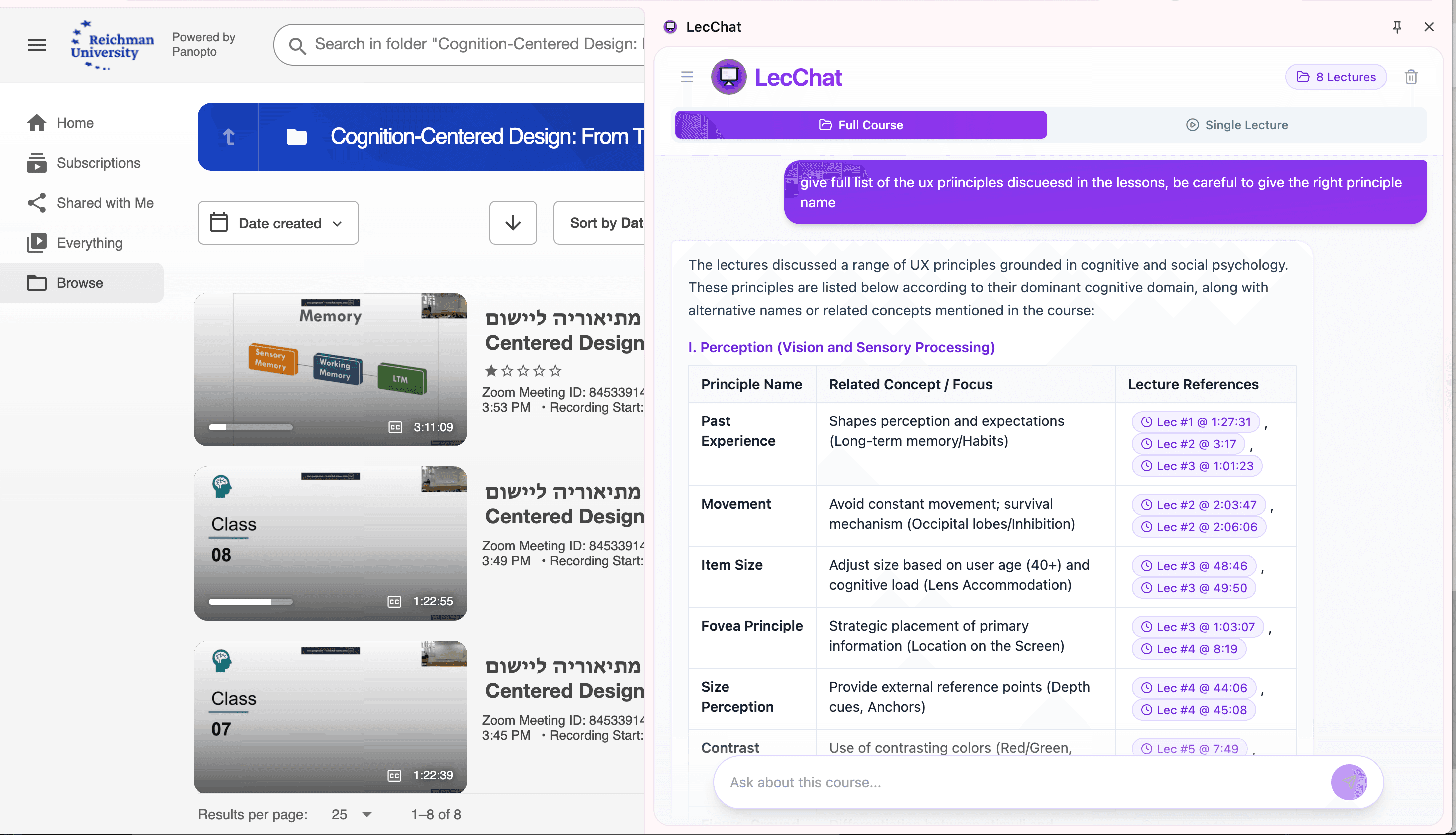
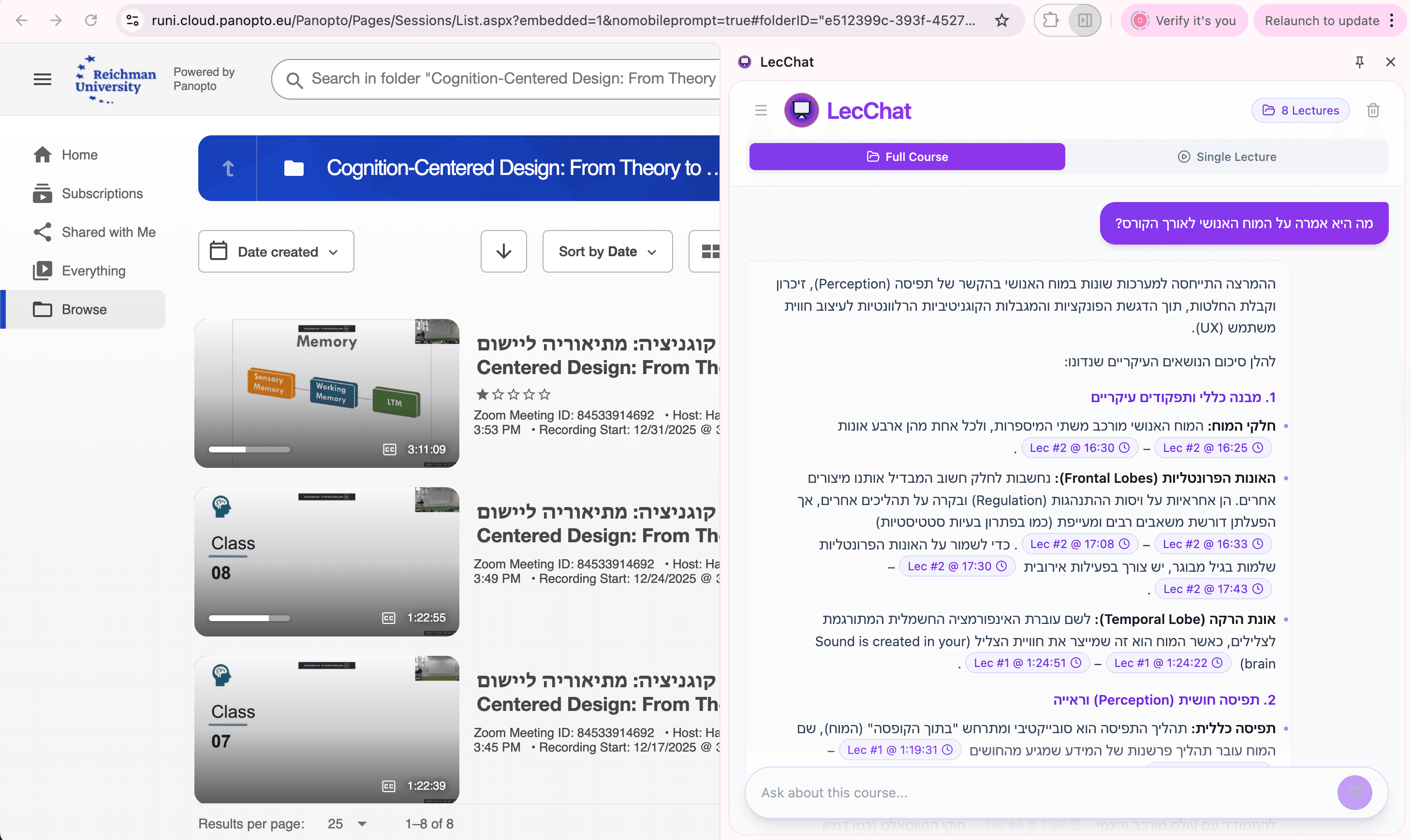
Chat across all lectures in a course!
“What was said about grading throughout the semester?”
- Search across multiple lectures at once
- Compare topics discussed in different sessions
- Get comprehensive answers across the whole course
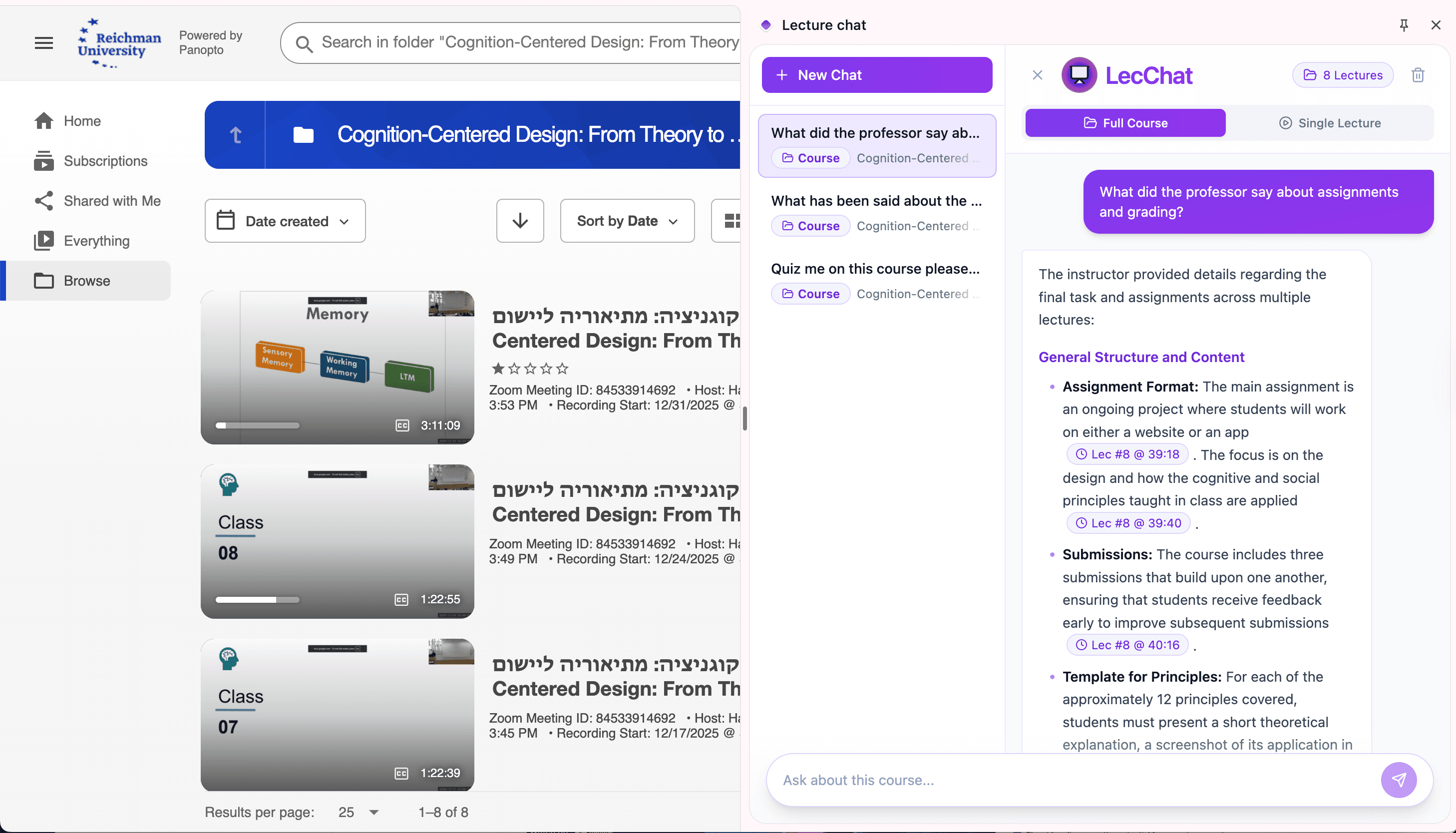
Clickable timestamps
Every answer includes precise timestamps you can click to jump straight to that moment in the lecture video. No more scrubbing back and forth — find exactly what you need in seconds.
How do I know my university is supported?
Does this logo look familiar?

Great! We support institutions that use Panopto for lecture recordings.





All of these and more :)
Do your courses have captions?
LecChat works in courses that have captions (whether uploaded by the professor or auto-generated in Panopto).
Not sure? There’s a free trial — try it!
Everything you need to succeed
LecChat was designed for students who want to get the most out of their lecture recordings.
Works with Panopto & Moodle
Seamlessly integrates with the platforms your university uses for lecture recordings.
Hebrew & English support
Support for lectures in Hebrew and English. Full support in both languages.
Single-user license
One license, one student. Simple and clear.
FAQ
Everything you need to know about LecChat
How does LecChat work?
LecChat is a Chrome extension that integrates directly into your browser. When you watch a lecture in Moodle or Panopto, LecChat appears as a sidebar. You can ask questions about the lecture, and it uses AI to analyze the video content and return answers with clickable timestamps that jump to the exact moment in the video.
Which platforms are supported?
Today, LecChat works with Panopto and Moodle — common university lecture recording platforms. The extension automatically detects when you’re on a supported platform and activates.
Do you offer a free trial?
Yes! We offer LecChat for free for up to two lectures of your choice — ask and explore as much as you want :) Get great answers, and when you’re convinced, buy a license to use it across all your lectures and courses :)
How much does it cost?
LecChat costs ₪49 as a one-time payment — lifetime access :) We don’t believe in another subscription — we all have enough...
Note: this is limited to reasonable use, up to 1000 video hours per month.
Does it work for every course?
Currently, only courses with transcripts are supported.
Is my data private?
Yes. LecChat is built with privacy in mind. Your chat history is stored locally on your device using Chrome Local Storage. We only send anonymous text prompts to the Google Gemini API to generate answers. We don’t collect or store personal data on external servers. Your license key is verified via the Gumroad API but stored locally on your device.
What’s the refund policy?
We offer a 30-day money-back guarantee. If you’re not satisfied with LecChat, you can request a refund within 30 days of purchase. Email us at deshalevz@gmail.com with your order number.
How do I install it, and which browser is supported?
Super simple :) in the Chrome Web Store. LecChat is supported in Chrome only.
What’s the difference between “Single lecture” and “Full course” modes?
“Single lecture” mode lets you chat about a specific lecture recording. “Full course” mode lets you ask questions across all lectures in a course — great for finding related content, comparing topics across sessions, and getting comprehensive answers that span more than one lecture.
What students say
A few words from students already using LecChat in their day-to-day studying.

“LecChat made watching recordings so much more efficient — I find what I’m looking for instantly.”

“Finally, order in the chaos. No more frantic summarizing.”

“LecChat is hands down the best gift I gave myself for exam season.”

“I’m significantly more efficient in my studying. Full Course Mode is excellent and lets me query an entire semester at once.”
Get LecChat today
Start chatting with your lectures in minutes.
Your license key will be shown after purchase and also sent to your email.